
Before any commissioning can be performed, a few preparatory steps must be completed to ensure a smooth process.
SD Card
The MAC36NL and MAC36PRO devices require an SD card and a license to function properly.
The SD card, which can be moved between devices, contains crucial software for the device, such as the Linux operating system, Java Virtual Machine, and Niagara N4.
The license file limits the number of points for building applications. Without these two components, the device cannot operate.
The SD card slot is on the device’s left side and should be inserted before mounting.
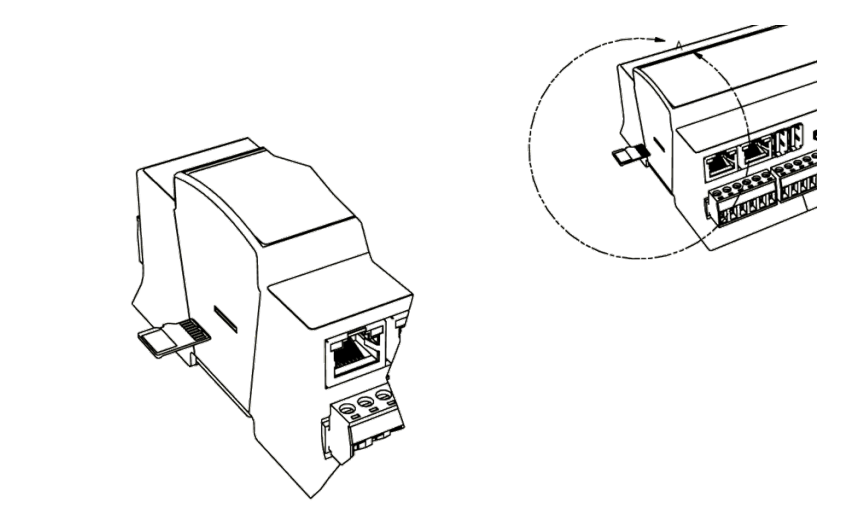
Power must be shut down before inserting or removing the SD card to prevent damage. The device must also be unmounted for access.
Power Supply
Connect the controller to the power supply – during the first start-up, the device requires a power source with a guaranteed uninterrupted power supply.
Ethernet Cable
Connect the Ethernet cable from your PC to the MAC36’s port labeled RJ45 ETH1 (interface on the left side). By default only the ETH1 is active, ETH2 is not.
Make sure that your PC has IP address set to 192.168.1.XXX with a mask of 255.255.255.0