
Integration
The Touch Point device of course can work like a typical Slave device. As will be presented in this section with higher-level controllers or with a PC
To prepare the device, set it an appropriate Modbus address using a rotary switch, the default baudrate is 115200. If we want to change the baud rate or assign a Modbus address higher than 9, then it’s necessary to use the iSMA_Configurator.
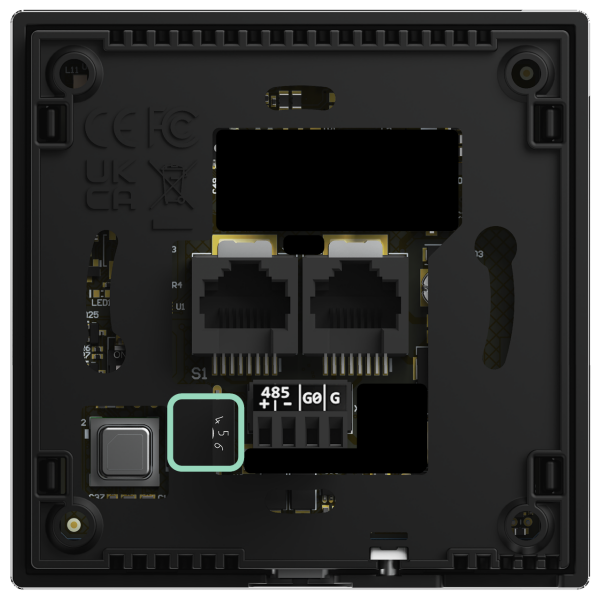
Then, use the RJ45 port or screw terminal to connect the panel to the master device.
Please note that the RJ45 port can only be connected directly to a nano EDGE ENGINE controller. If you want to use an RJ45 connection with a third-party controller, you must first disassemble the cable and connect the appropriate wires to the screw terminal of the third-party controller.
If you want to use BACnet MS/TP protocol set DIP_Switch on the back of Touch Point or use iSMA_Configuratto appropriate configuration
